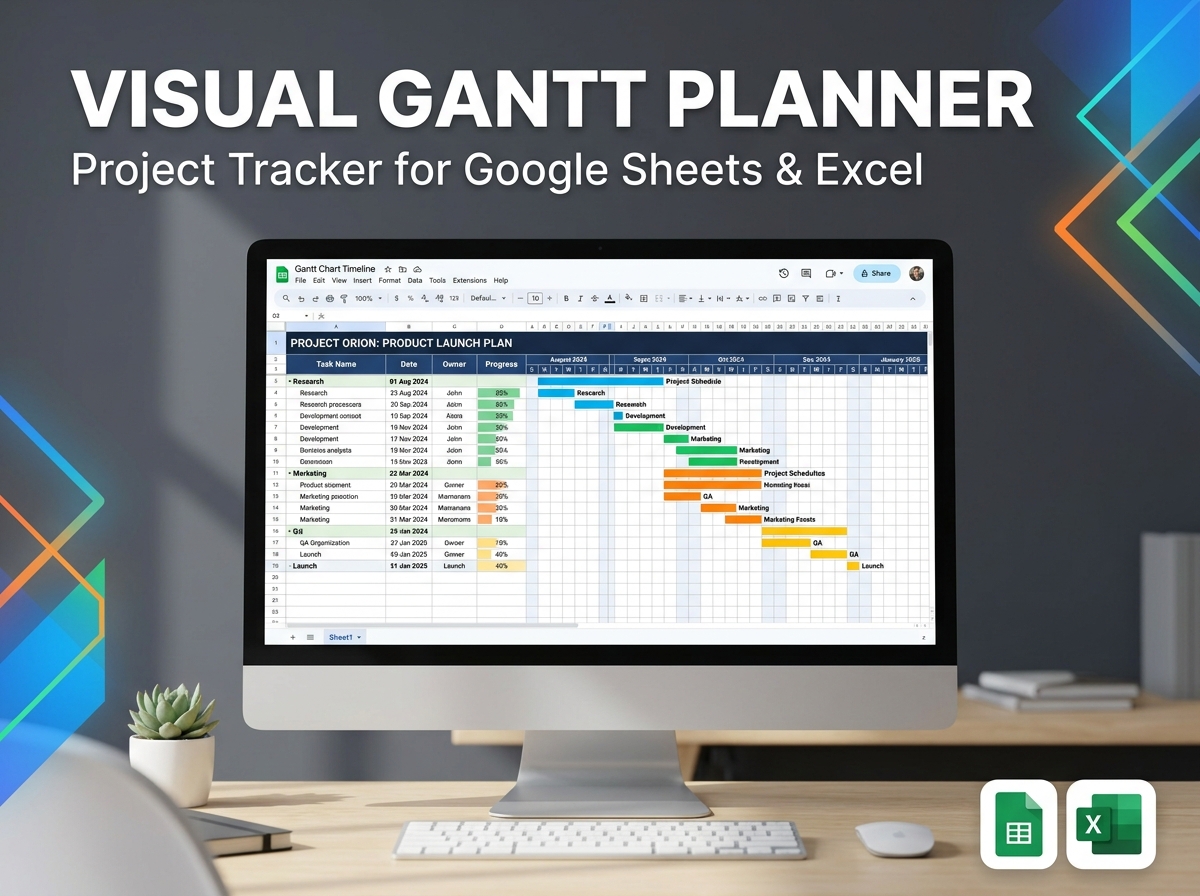
Take full control of your projects and schedules with the visual power of the Gantt Chart Project Planner Template. 📊🗓️
Available for both Google Sheets and Excel, this easy-to-use tool allows you to map out complex tasks, smoothly assign team responsibilities, and follow progress step by step. Whether you are managing strict business operations, coordinating a remote team, or organizing ambitious personal goals, this planner perfectly blends the visual clarity of Gantt charts with the powerful adaptability of spreadsheets to help you hit every single deadline.
🔑 Key Features:
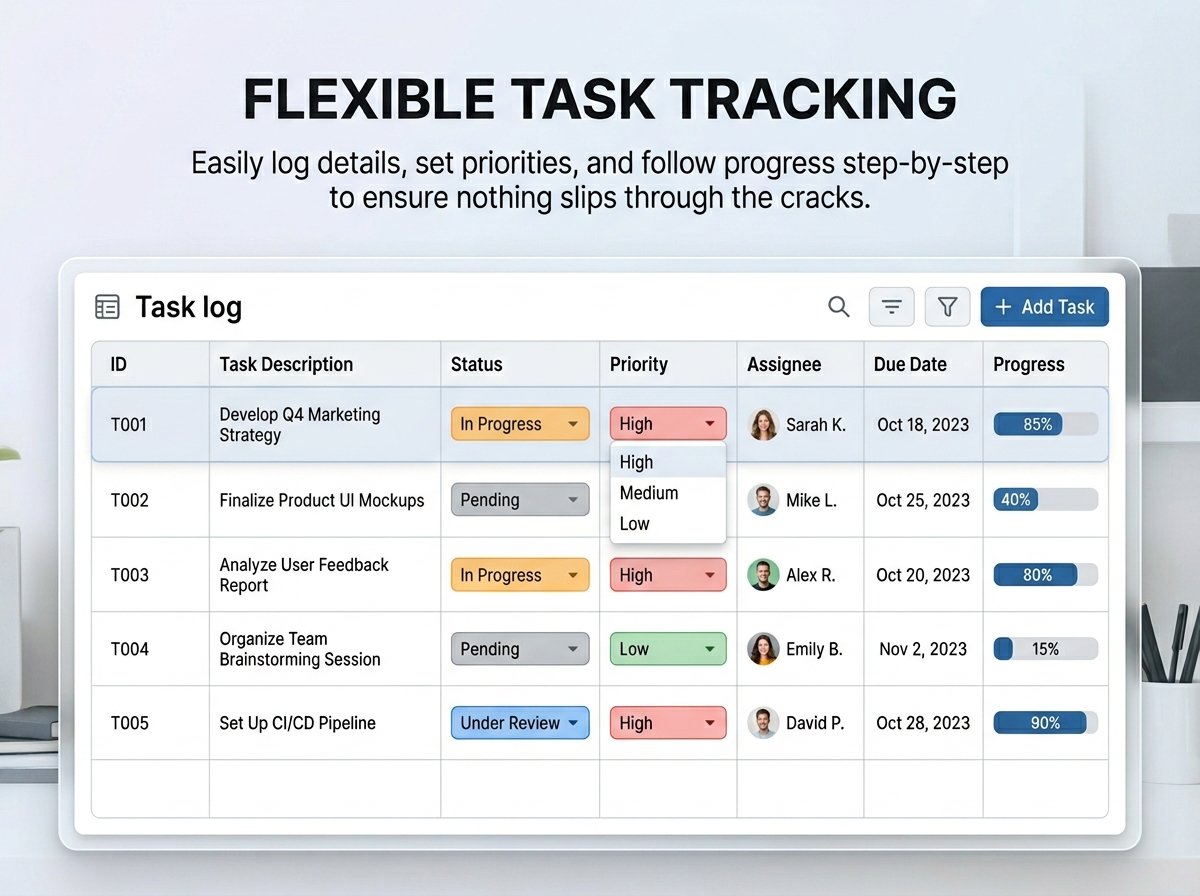
- 📝 Flexible Task Setup: Easily add detailed task descriptions, assign owners, set priority levels, and include crucial notes.
- 🔄 Task Progress Tracking: Follow tasks seamlessly through dynamic stages: Not Started, In Progress, Under Review, Completed, or Cancelled.
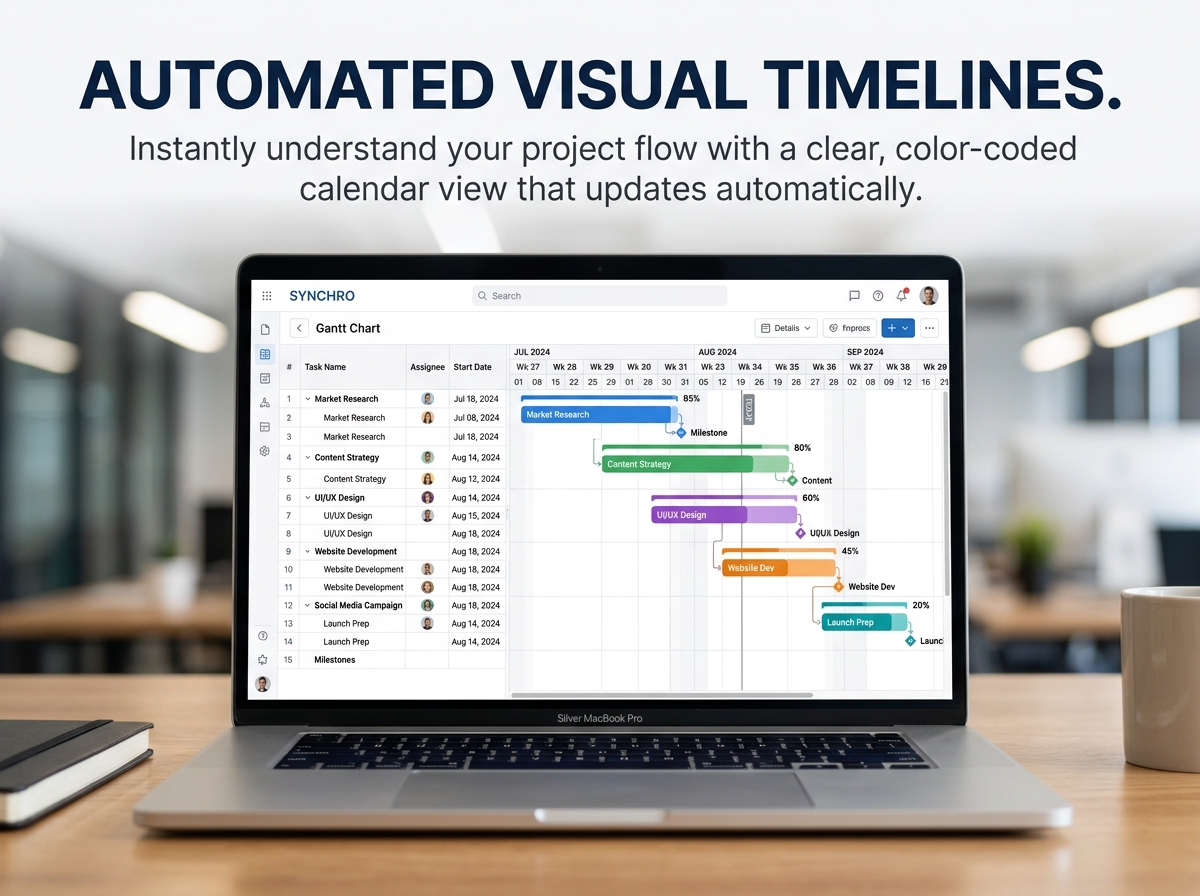
- 🎨 Clear Visual Timeline: View your entire project on a beautiful calendar grid with color-coded, automated updates for instant understanding.
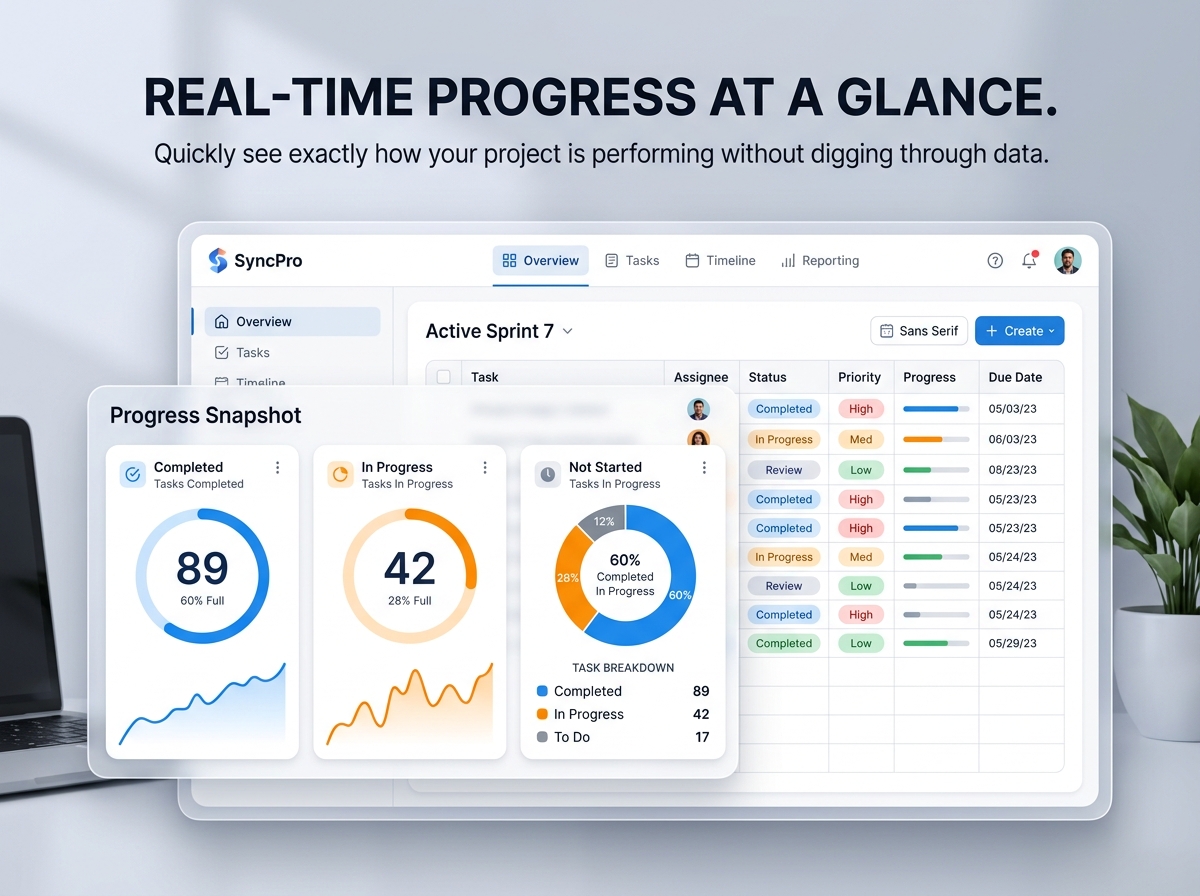
- 📈 Project Progress Snapshot: Quickly see exactly how many tasks are in progress, under review, or fully completed at a single glance.
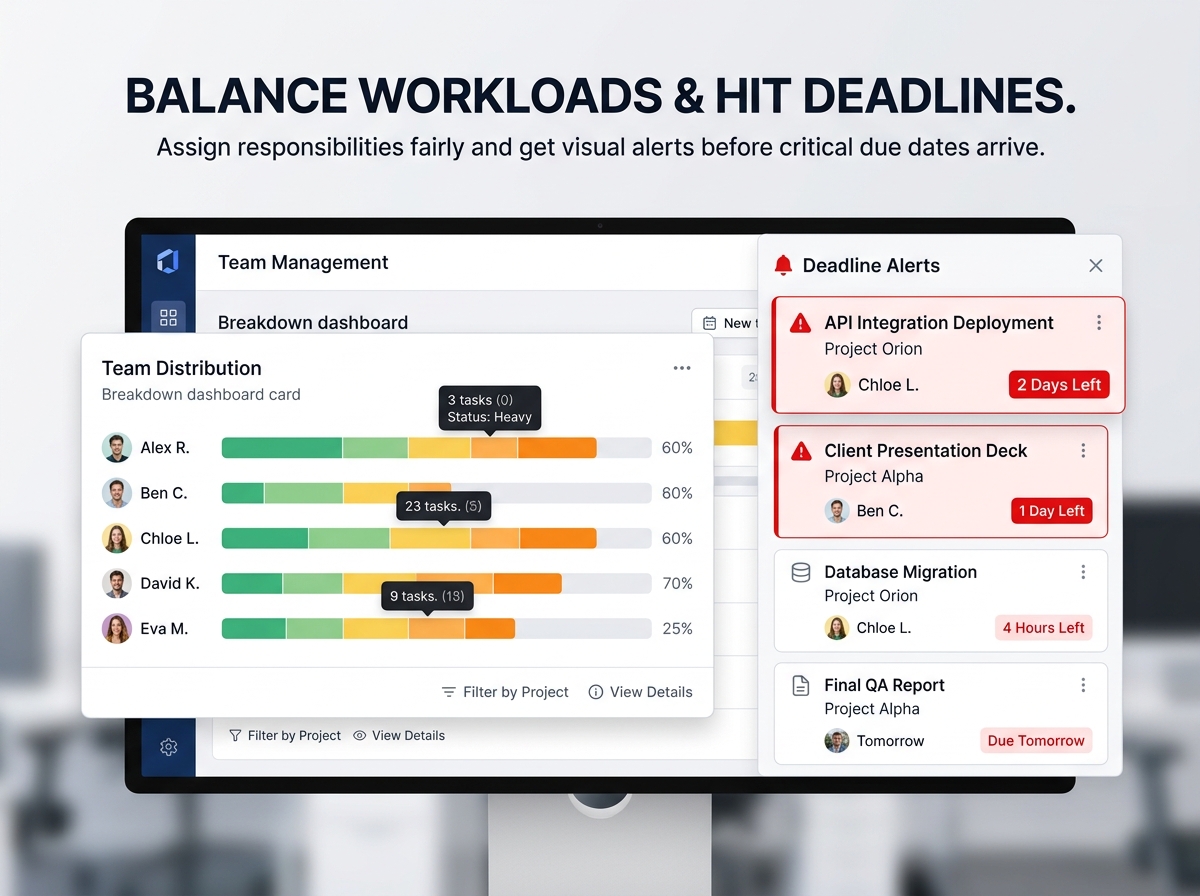
- 🚨 Deadline & Priority Alerts: Instantly identify urgent tasks and closely monitor the exact time left before critical due dates.
- 👥 Team Distribution View: Easily check workload assignments to ensure tasks are balanced fairly across your team members.
- ⏱️ Timeline Management: Define crystal-clear project start and end dates to keep all goals perfectly aligned with your milestones.
💡 Who Can Use It:
- 🏢 Project Leaders & Managers: Oversee multiple projects, assign clear roles, and track strict deadlines with absolute ease.
- 🚀 Small Businesses & Entrepreneurs: Plan product launches, marketing campaigns, or daily workflows in a highly structured way.
- 💻 Freelancers & Creatives: Organize demanding client work, rigorous content schedules, or complex personal projects.
- 🎓 Students & Individuals: Manage heavy school assignments, long-term study plans, or personal growth goals visually.
Why You’ll Love It:
- 🔹 Stay on Top: Never miss a deadline with a clear, heavily color-coded overview.
- 🔹 Save Time: Built-in tracking and automated indicators do the heavy lifting for you.
- 🔹 Reduce Risks: Identify dangerous delays and high-priority bottlenecks early.
- 🔹 Boost Productivity: Balance team responsibilities fairly while monitoring overall progress.
- 🔹 100% Customizable: Easily adapt the template to any project type—personal, academic, or professional.
📦 What’s Included?
- Step-by-step instructions for a flawless setup
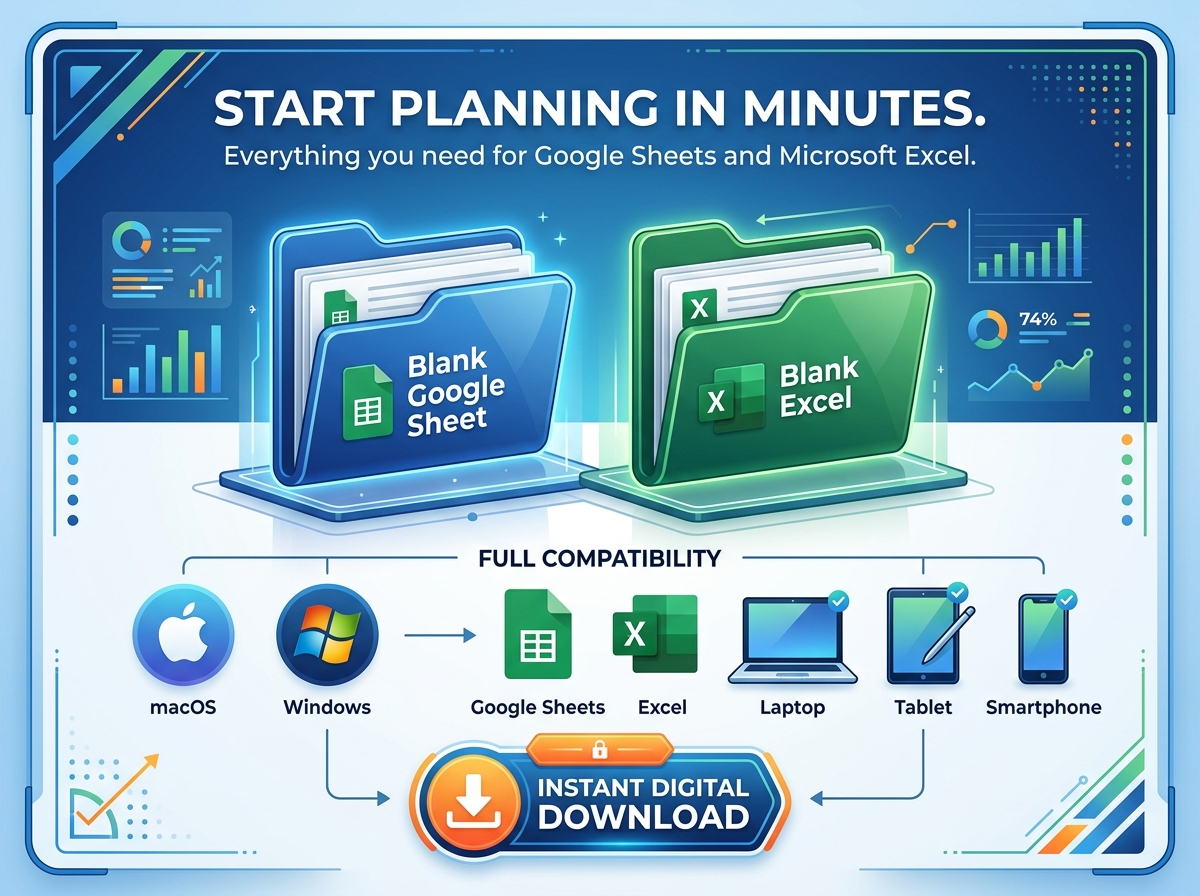
- 2 Spreadsheet Templates:
- Blank Google Sheet (Ready to use)
- Blank Microsoft Excel File (Ready to use)
- Fully editable in both Google Sheets and Microsoft Excel
- Compatible with Mac, PC, Phones, and Tablets
💻 How It Works & Requirements:You Will Need:
- A device to access Google Sheets or Microsoft Excel
- A free Google Account (if using Google Sheets)
- Microsoft Excel software (if using Excel)
- Basic computer skills
How It Works:
- Purchase and download your files instantly.
- Open the provided PDF file to access your Google Sheet link.
- Download the Excel template directly to your device.
- Open your preferred spreadsheet and start planning!
⚠️ Important to Know:
- Digital Product: This is a digital download only; no physical items will be shipped.
- Refund Policy: Due to the instant nature of digital products, all sales are final, and refunds are not available.
- Color Disclaimer: Colors in the spreadsheet may vary slightly due to screen display differences across various monitors, phones, and tablets.
- Pro Tip: For the absolute best setup experience, we highly recommend using a desktop or laptop to take full advantage of the heavy editing capabilities!


 Discount of up to